AI Feedback Generator: A Teacher’s Guide to Better Student Feedback in 2026
Giving useful feedback is one of the most important parts of teaching, but it is also one of the most
AI grading and assessment tools can help teachers create questions, build rubrics, review student work, draft feedback, and reduce repetitive assessment tasks — but every output still needs professional review.
Start with our best AI grading tools for teachers comparison if you are choosing a platform. For specific workflows, see the AI question generator from text, our guide to creating a quiz from a PDF with AI, the AI rubric generator guide, and our workflow for using AI for report card comments.
These guides focus on practical classroom use, accuracy, privacy, teacher judgment, and assessment quality rather than automated grading for its own sake.For higher-order questioning specifically, use our AI Bloom’s Taxonomy question generator guide to build questions across cognitive levels.
Giving useful feedback is one of the most important parts of teaching, but it is also one of the most

Introduction Artificial intelligence is changing the way teachers plan lessons, create assessments, and support student learning. One area where AI

Writing report card comments is difficult for a reason: each sentence must be accurate, useful to families, appropriate for the

Writing report card comments doesn’t have to eat your whole weekend. AI report card comments for teachers are changing how
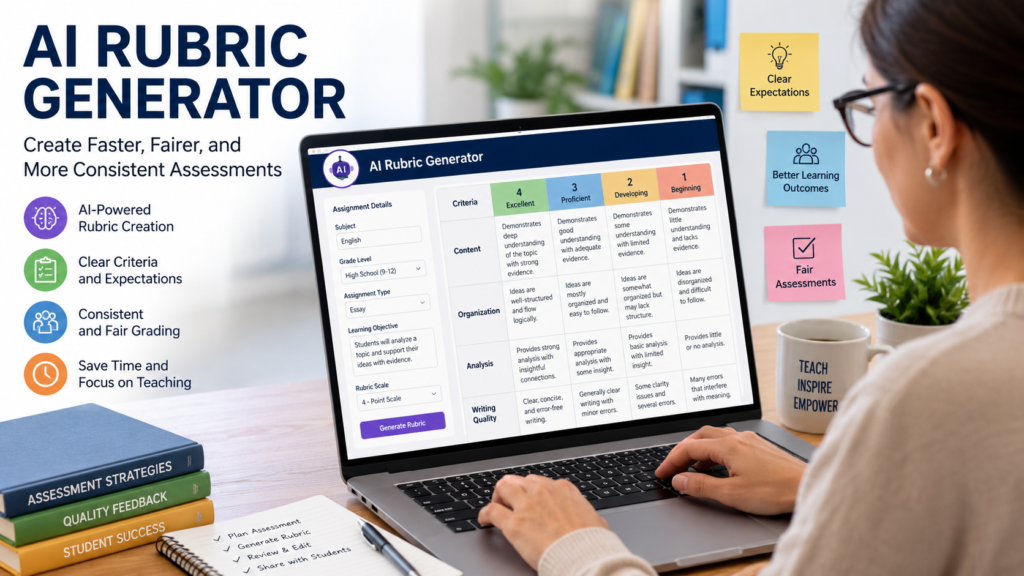
Assessing student performance has never been just about assigning grades. A well-designed rubric helps teachers set clear expectations, evaluate work

AI grading tools can help teachers organize submissions, apply a rubric, draft feedback, group similar responses, or score objective questions.

An AI question generator can turn a passage, lesson note, transcript, or approved document into a draft set of questions.
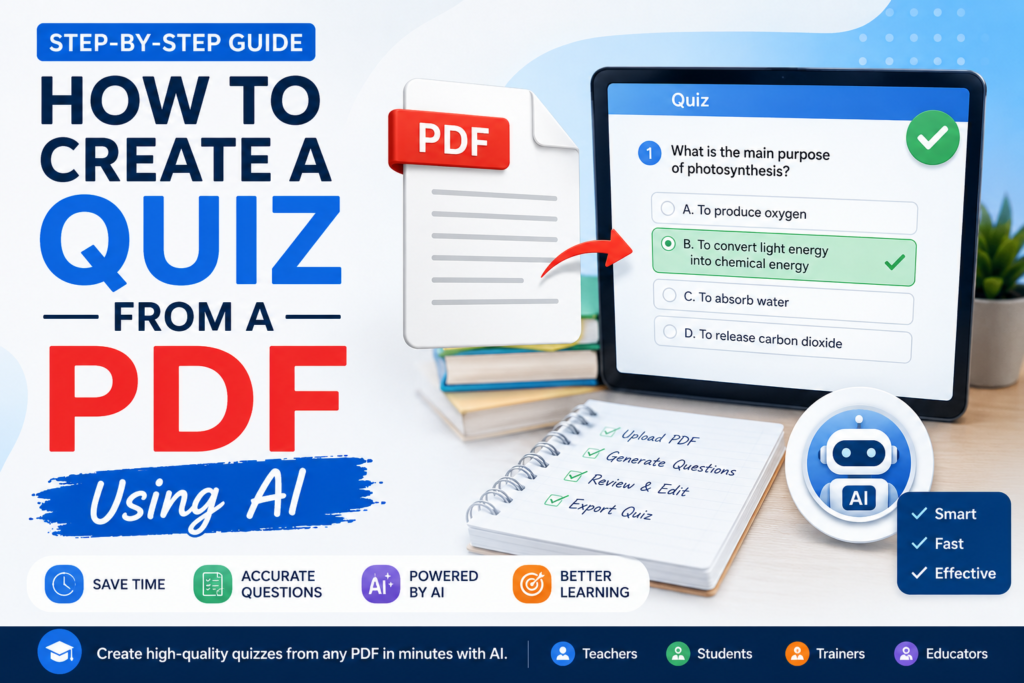
Learn how to create a quiz from a PDF using AI with practical ChatGPT and NotebookLM steps, prompts, review checks, privacy guidance, and teacher tips.