Student Group Generator: The Smart Way to Create Balanced Student Groups in Your Classroom
A Student Group Generator is a smart classroom tool that helps teachers create balanced student groups quickly and easily. Instead of spending valuable teaching time manually organizing teams, educators can generate classroom groups instantly and improve student collaboration, participation, and learning experiences.
.However, creating the right groups manually can become challenging. Teachers often need to consider student abilities, personalities, classroom behavior, friendships, and learning needs. This process can take valuable time that could be better spent on lesson planning and student support.
A Student Group Generator solves this problem by helping teachers create student groups quickly, fairly, and efficiently. Instead of manually writing names, checking lists, and rearranging teams, educators can generate balanced groups within seconds.
In modern classrooms, technology is becoming an important part of teaching. Tools like student group generators help educators improve classroom management, encourage collaboration, and create better learning experiences for every student.
What Is a Student Group Generator and How Does It Work?
A Student Group Generator is an online classroom tool that automatically divides a list of students into smaller groups based on teacher preferences.
Teachers simply enter student names, choose the required number of groups or students per group, and generate teams instantly.
Depending on the tool features, teachers can create different types of groups including:
- Random student groups
- Balanced learning groups
- Project-based teams
- Activity-specific groups
- Custom classroom groups
The main purpose of a student group generator is not only saving time but also improving the quality of classroom teamwork. A well-created group can help students communicate better, learn from each other, and participate more actively.
Why Teachers Need a Student Group Generator
Teachers manage many responsibilities every day. Preparing lessons, grading assignments, answering student questions, and managing classroom activities require significant effort.
Creating groups manually every time can add unnecessary workload. A Student Group Generator makes this process faster and more organized.
1. Saves Valuable Teaching Time
Time is one of the most valuable resources for teachers. Manually creating groups can take several minutes, especially in large classrooms.
A Student Group Generator can complete the same task almost instantly. Teachers can use that saved time for activities that directly improve student learning.
- Less time spent organizing groups
- Faster classroom preparation
- More focus on teaching activities
- Easy group creation for repeated activities
2. Creates Fair and Balanced Groups
One major challenge with traditional grouping methods is fairness. When students choose their own groups, some students may always work with friends while others may feel excluded.
A Student Group Generator helps teachers create more balanced teams by reducing personal bias and providing a structured approach.
Teachers can create groups according to:
- Student learning levels
- Classroom activity requirements
- Individual student needs
- Team collaboration goals
3. Improves Student Collaboration
Group learning helps students develop important skills beyond academic knowledge. Working with classmates teaches communication, teamwork, leadership, and problem-solving.
When teachers create effective groups, students get opportunities to share ideas and learn from different perspectives.
A Student Group Generator supports this process by making group creation easier and more efficient.
Student Group Generator vs Manual Group Creation
| Manual Group Creation | Student Group Generator |
|---|---|
| Takes more classroom preparation time | Creates groups within seconds |
| Can be affected by teacher bias | Provides a more structured process |
| Difficult for large classrooms | Works efficiently with many students |
| Requires repeated manual effort | Can be reused anytime |
| Harder to maintain balance | Allows customized grouping options |
Types of Student Group Generator Methods
Different classroom activities require different grouping strategies. Teachers should select the method that matches their learning objectives.
1. Random Student Group Generator
A random student group generator creates teams by selecting students randomly from the class list.
This method is useful when teachers want students to interact with different classmates and build social connections.
Best for:
- Quick classroom activities
- Icebreaker exercises
- Short discussions
- Team-building activities
2. Balanced Student Group Generator
A balanced student group generator creates teams by mixing students with different abilities and learning styles.
For example, a teacher may combine advanced learners with average learners to encourage peer support and collaborative learning.
Best for:
- Long-term projects
- Research assignments
- Group presentations
- Problem-solving activities
3. Custom Student Group Generator
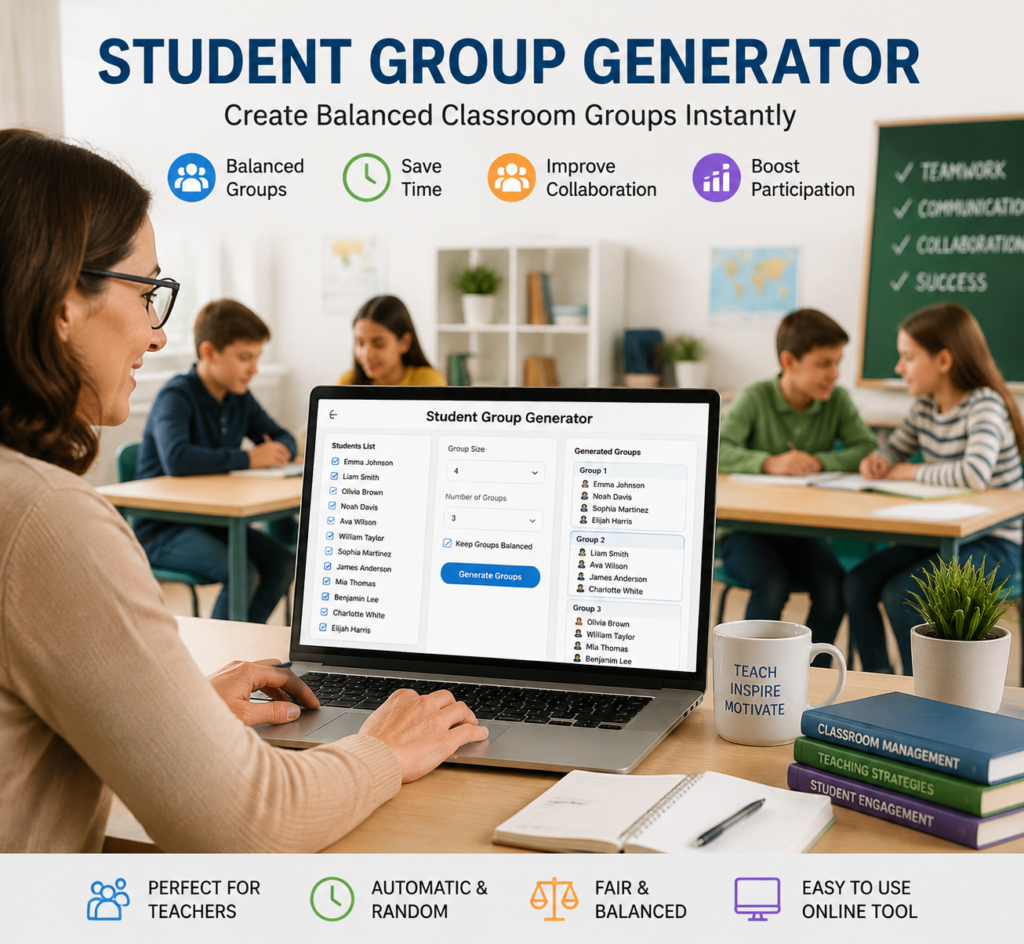
Every classroom has different needs. Sometimes teachers need more control over how students are grouped. A custom Student Group Generator allows educators to create groups according to specific classroom requirements.
Teachers can customize groups by:
- Choosing the number of students in each group
- Selecting specific students for activities
- Avoiding repeated group combinations
- Creating teams for specific projects
- Adjusting groups according to classroom goals
Custom grouping is especially useful for teachers who manage different subjects, classroom levels, or special learning activities.
How to Use a Student Group Generator Step-by-Step
Using a Student Group Generator is simple and does not require advanced technical skills. Most teachers can create classroom groups in a few easy steps.
Step 1: Prepare Your Student List
Start by creating a list of all students who need to be grouped. The list can include student names from your classroom, course, or activity.
For example:
- Ali
- Sarah
- Ahmed
- Emma
- John
Having an accurate student list helps the generator create correct groups.
Step 2: Choose Your Group Size
Decide how many students you want in each group. The ideal group size depends on the activity.
Examples:
- 2 students for partner discussions
- 3–4 students for classroom projects
- 5–6 students for larger activities
Small groups usually encourage more participation, while larger groups can support bigger projects.
Step 3: Select Grouping Method
Choose the type of group you need:
- Random groups for quick activities
- Balanced groups for collaborative learning
- Custom groups for specific classroom needs
Selecting the right method improves the effectiveness of your classroom activity.
Step 4: Generate Student Groups
After entering your information, click the generate button. The tool will automatically organize students into groups.
Teachers can review the groups and make adjustments if necessary.
Step 5: Assign Activities and Roles
Creating groups is only the first step. To make teamwork successful, teachers should assign clear responsibilities.
Possible group roles include:
- Team leader
- Researcher
- Presenter
- Note taker
- Time manager
Clear roles help every student participate and prevent one person from doing all the work.
Benefits of Using a Student Group Generator in Education
1. Better Classroom Management
Managing a classroom becomes easier when students are organized into effective groups. Teachers can quickly move from individual activities to teamwork without wasting instructional time.
A Student Group Generator helps create a smoother classroom environment where students know their teams and responsibilities.
2. Encourages Equal Student Participation
In traditional group activities, some students participate more while others remain silent.
Well-designed groups encourage every learner to contribute. Teachers can create smaller teams where each student has a meaningful role.
3. Supports Active Learning
Modern education focuses on active learning rather than only listening to lectures.
Group activities allow students to discuss ideas, solve problems, and apply knowledge in practical situations.
Student Group Generators support active learning by making teamwork easier to organize.
4. Reduces Teacher Workload
Teachers already spend many hours on planning and administration. Automating simple tasks like group creation allows educators to focus on more important responsibilities.
Technology should support teachers, not replace them. A Student Group Generator works as a helpful classroom assistant.
Real Classroom Examples of Student Group Generator Use
Example 1: Science Project Groups
A science teacher wants students to complete a group experiment. The teacher uses a Student Group Generator to create teams of four students.
Each group receives different responsibilities:
- One student manages materials
- One student records observations
- One student researches information
- One student presents results
The activity becomes organized, fair, and engaging.
Example 2: Language Learning Activities
A language teacher creates small conversation groups where students practice speaking skills.
The generator helps mix students with different confidence levels so they can learn from each other.
Example 3: Classroom Discussions
A social studies teacher creates discussion teams for a debate activity.
Instead of allowing students to select only their friends, the teacher creates diverse groups that encourage new interactions.
Best Practices for Creating Student Groups
A Student Group Generator is a useful tool, but teachers should use it with proper planning.
- Consider the purpose of the activity before creating groups
- Change groups regularly so students work with different classmates
- Balance student abilities when possible
- Create clear instructions for teamwork
- Monitor group progress during activities
- Encourage respectful communication
Common Mistakes to Avoid When Creating Student Groups
Although a Student Group Generator makes classroom organization easier, teachers should avoid some common mistakes to get the best results.
1. Using Random Groups for Every Activity
Random grouping is useful, but it is not always the best choice for every classroom situation.
For example, a complex research project may require balanced teams instead of completely random groups.
Teachers should select the grouping method according to the learning objective.
2. Ignoring Student Learning Differences
Every student has different strengths, challenges, and learning styles.
Creating groups without considering these differences may result in some teams becoming less effective.
Balanced grouping can help students support each other and improve learning outcomes.
3. Creating Groups Without Clear Instructions
Even the best groups can fail if students do not understand their responsibilities.
Before starting a group activity, teachers should explain:
- What students need to achieve
- How they should work together
- What role each member has
- How the final work will be evaluated
4. Keeping the Same Groups Too Long
Using the same groups for a long period can limit student interaction.
Students benefit when they collaborate with different classmates and experience different teamwork styles.
Changing groups regularly helps build stronger communication skills.
How Student Group Generator Improves Modern Teaching
Education is changing rapidly. Classrooms are becoming more technology-focused, and teachers are using digital tools to improve learning experiences.
A Student Group Generator is a simple but powerful example of educational technology that solves a real classroom challenge.
Instead of spending unnecessary time on administrative tasks, teachers can focus more on:
- Student engagement
- Creative teaching methods
- Personalized learning
- Better classroom experiences
Small improvements in classroom organization can create a big impact on student success.
Student Group Generator and the Future of Classroom Technology
The future of education will continue to combine teaching expertise with smart technology.
Future Student Group Generator tools may include advanced features such as:
- AI-powered balanced grouping
- Learning style analysis
- Student performance insights
- Automatic role assignment
- Integration with classroom platforms
However, technology should always support teacher decisions. Teachers understand their students better than any tool, and digital solutions should work as assistants rather than replacements.
Frequently Asked Questions About Student Group Generator
What is a Student Group Generator?
A Student Group Generator is an online tool that automatically divides students into groups for classroom activities, projects, and teamwork exercises.
How does a Student Group Generator help teachers?
It helps teachers save time, create fair groups, improve classroom organization, and encourage better student collaboration.
Can a Student Group Generator create random groups?
Yes. Most student group generators can create random groups by automatically distributing students from a class list.
Can teachers create balanced student groups?
Yes. Many tools allow teachers to organize groups based on ability levels, classroom needs, or specific activity requirements.
Is a Student Group Generator useful for online classes?
Yes. Online teachers can use student group generators for virtual discussions, breakout rooms, collaborative assignments, and group projects.
What is the ideal group size for classroom activities?
The ideal group size depends on the activity. Small groups of 3–5 students often provide good participation, while larger groups may work better for major projects.
Does a Student Group Generator replace teachers?
No. A Student Group Generator is a support tool. Teachers still make the important decisions about classroom activities, student needs, and learning goals.
Why TeacherTechLab Recommends Using Smart Classroom Tools
Teachers spend countless hours managing classroom tasks. Educational technology can reduce unnecessary workload and give teachers more time to focus on what matters most: helping students learn.
A Student Group Generator is a simple solution that can improve classroom organization, teamwork, and student engagement.
Whether you teach in a traditional classroom, online environment, or hybrid learning setup, smart education tools can make teaching more effective and enjoyable.
Conclusion: Make Classroom Grouping Faster and Smarter
Creating student groups should not be a time-consuming challenge for teachers. A Student Group Generator provides a fast, fair, and efficient way to organize classroom teams.
By using technology wisely, teachers can create better learning environments where students collaborate, communicate, and develop important skills.
The goal is not just creating groups. The goal is creating meaningful learning experiences.
With the right classroom technology tools, teachers can spend less time managing tasks and more time inspiring students.
TeacherTechLab helps educators discover practical technology solutions that make teaching easier, smarter, and more effective.